









|
|
| |
|
|
 |
| |
- Automates Programming of Page-Exceptions to a Print Job
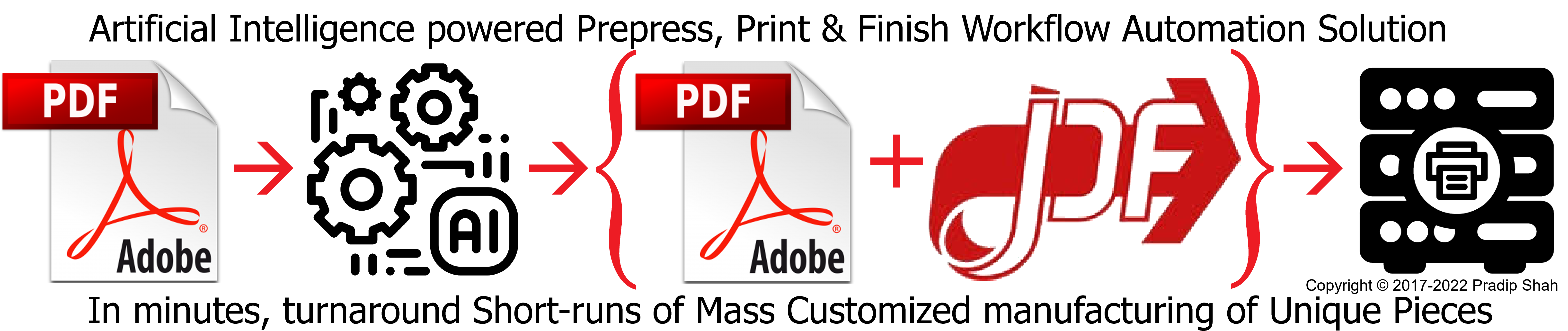
User-Defined Rules Driven, Intelligent PDF Print Workflow Automation
- Eables Data and Rules Driven
Conditional, Complex, Variable Document
Production. Program most print-exceptions within 10 minutes and start producing most complex, high-value added jobs. Eliminates most pre-press manual exception page programming. Eliminates manual mixed stock
collation, eliminates manual subset finishing,
and eliminates custom one-off Postscript print
programs.
For PDF print automation, enables conditional
tray pulls, page exceptions, page overrides,
media calls, cover, tab and slip sheet
insertion, subset finishing. Dynamically creates
Xerox XML XPIF job tickets, job segment by job
segment.
For Xerox iGen4, iGen3,
DocuColor, DocuTech, Nuvera, 41XX and
DocuPrint. go to SmartPDFPrintware »
|
| |
 | |
 |
|
|
 |
|
|
|
|
 |
| |
- Why We Are Providing PDF
Utilities Free Of Charge
- We have developed
SmartPDFPrintware - a state of the art,
intelligent PDF print workflow automation
solution. This solution eliminates need for
complex PDF print jobs to be converted to
Postscript to insert 'setpagedevice' commands.
For complex PDF print jobs, SmartPDFPrintware
eliminates manual collation of mixed media jobs.
It enables tray calls to pull different stocks.
It enables page exceptions for variable,
floating subsets. It enables subset finishing.
Using SmartPDFPrintware you can intelligently
split large PDF file into single documents such
as Statements, Policies, Notices and more. When
you run PDF Utilities, it plays a flash video
highlighting latest in PDF print automation
including Case Studies, Success Stories, How-To
setup step-by-step workflow, including different
features of SmartPDFPrintware that quickly
enable print automation of complex PDF jobs.
This video is retrieved from B2BeDocuments
server. Video will present useful information
and deep insight into how to automate printing
of complex PDF jobs. We are using this free PDF
Utilities software to make you aware of benefits
of using SmartPDFPrintware in print automation.
All we request is before you buy PDF print
automation solution from any other vendor,
please give SmartPDFPrintware a try; give us a
call or send us an email to find out how your
PDF job can be turn around in ten minutes or
less.
- Shuffle
- Move pages from one location to
another within a PDF document. Once rules for
page movement are set, you can move pages in
thousands of PDF documents.
go to
PDFPageShuffler »
- Insert - AddOn
- Insert add-on PDF page(s) into
PDF Documents. You can use this utility to
insert static pages such as "Terms and
Conditions" into say Statements.
go to
AddOnPDFPageInserter »
- Insert - Blank
- Insert blank PDF page(s) into
PDF Document. You can use this utility to
prepare PDF Documents for imposition. Very
useful if you are trying to impose booklets, to
force duplex printing of chapters faceup. Once
rules for page insertion are set, you can insert
pages in thousands of PDF documents.
go to
BlankPDFPageInserter »
- Remove
- Remove range of pages from PDF
document. Once rules for page removal are set,
you can remove pages from thousands of PDF
documents.
go to
PDFPageRemover »
- Merge
- Merges all PDF documents in a
job into one PDF document.
go to
PDFDocumentsMerger »
- Rotate
- Rotates all pages in documents
so that rotated document has either Portrait or
Landscape orientation.
go to
RotatePDFDocuments »
- Flatten
- Flattens multiple layered
document into single layer. Very useful when you
want to guarantee good printed documents.
go to
FlattenPDFFormPages »
- Print
- Prints PDF documents to Print
Controller using LPR/LPD protocol. Print
Controller must be capable of ripping PDF files.
You can control order in which PDF files in a
batch prints out.
go to
BatchPDFFilesPrinter »
|
| |
 |
 | | | |